Rewards Recommendation
AI voucher recommendations allow you to automatically select vouchers that are most relevant to a specific customer. The system takes into account customer shopping behavior, the relationship of vouchers to products, and their past success. When setting up, you can choose a recommendation model according to which vouchers will be selected, or adjust the recommendation behavior in detail.
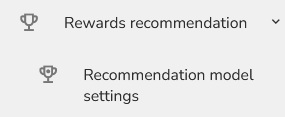
Click to "Rewards recommendation" - "Recommendation model settings ".
You will see a list of Recommendation Models.
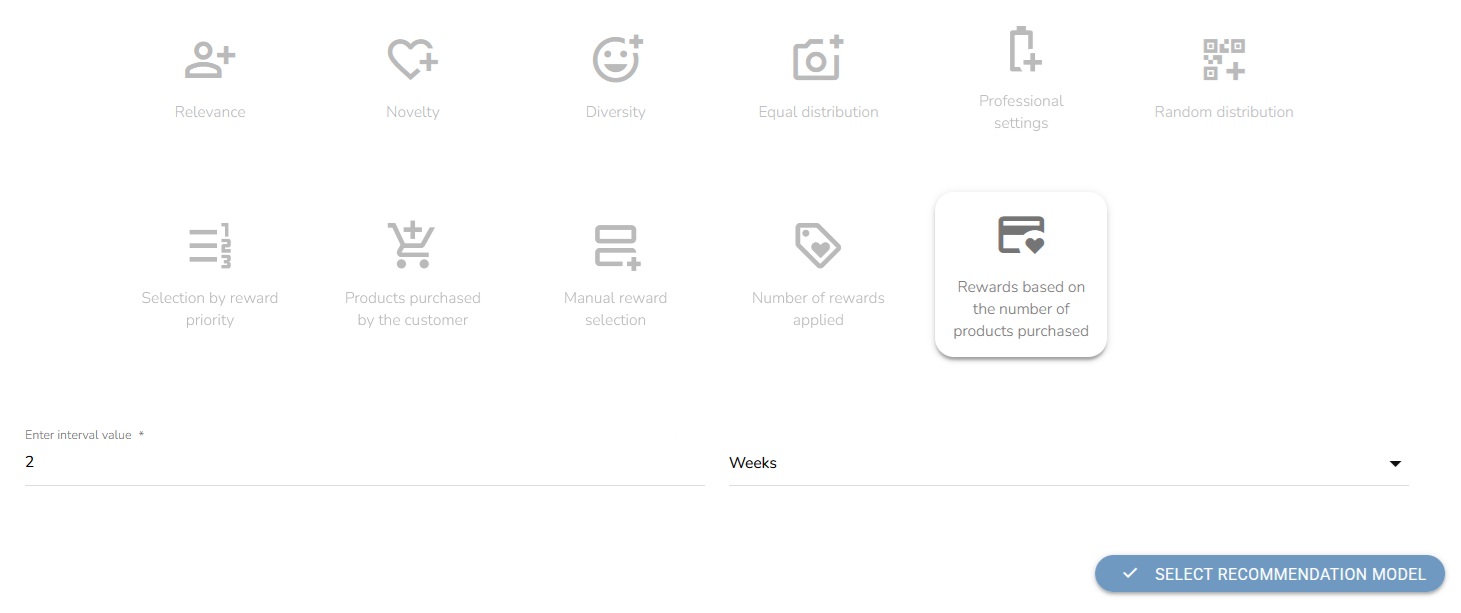
Now we will describe what each model does and how it works.
Relevance
By choosing this model, you prefer relevance, meaning that the model will recommend products that are most relevant to the customer.
Example: A customer frequently purchases running shoes and sportswear. There is a voucher for the sports equipment category that can also be used on running shoes. This voucher is relevant to the customer because it relates to products that the customer regularly purchases.
Novelty
This model prefer novelty. This means that the model will recommend less popular products i.e. those that customers typically buy less often.
Example: A voucher for sports shoes has been redeemed 10 times in the past, while a voucher for sports accessories has only been redeemed 2 times. Both vouchers are relevant to the customer, but the voucher for sports accessories will be recommended earlier because it is used less frequently.
Diversity
This model will recommend products that are different from each other within a single recommendation.

Example: A voucher for running shoes and a voucher for sportswear belong to a similar product category. To make the list of recommended vouchers more diverse, the system tries not to list these vouchers immediately after each other, but to spread them out in the list.
Equal Distribution
The Equal Distribution model combines Novelty and Diversity in equal proportions.The goal is to offer the customer a balanced list of vouchers – relevant, yet diverse and not constantly repetitive.
Professional Settings
This model allows you to manually set the degree of novelty and diversity. A value of 0 means that the parameter will not be used. A higher value increases the influence of the parameter on the resulting recommendation.

Other recommendation methods
Random Distribution
Vouchers are recommended randomly, regardless of customer behavior.
Selection By Reward Priority
Vouchers have a set priority according to which they are sorted and recommended.
Products Purchases by the Customer
Vouchers are recommended based on the products the customer purchased in the selected period. You set the time interval (e.g. last 2 weeks). If there is a voucher applicable to the purchased products, it will be recommended. The value of the recommendation depends on the number of purchased products on which the voucher can be used.
Manual Rewards Selection
You can manually select and sort the list of vouchers to be recommended. If the number of recommended vouchers is higher than the manually selected list, the remaining vouchers will be recommended according to priority.
Number of Rewards Applied
The recommendation is based on the popularity of the vouchers - the more often the voucher is applied, the higher its weight in the recommendation. You set the time period (e.g. the last 2 weeks).
Rewards Based on the Number of Product Purchased
Vouchers for frequently purchased products have a higher value in recommendations. The system evaluates customer purchases in the selected period (e.g. the last 2 weeks).

After you have selected the model and the necessary values, click on the button to select the model recommendation.
