Create Account Property For the Company Registration Number
Open “Loyalty and Administration” application in the main menu.
Open "Customer account settings” in the left menu.

Click on the "Customer account properties".

In the header of the table, click on the "Create new" icon.

A pop-up window shows up.
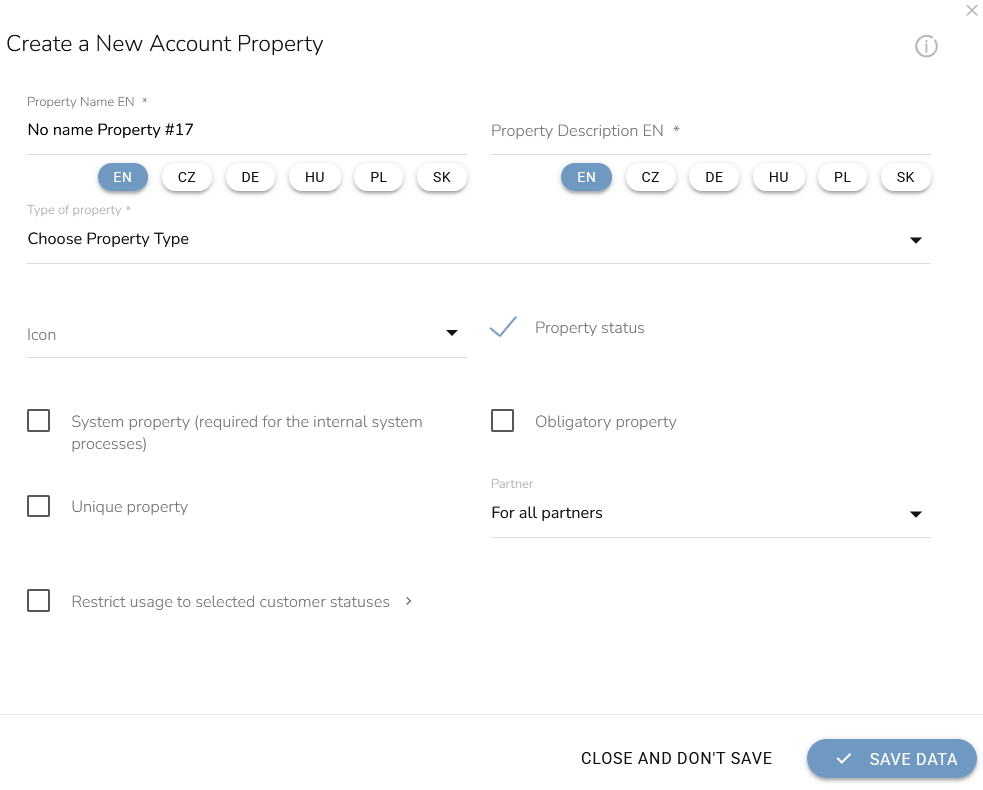
Fill in the property name and if needed, also the description.
Choose Property Type "Number" and icon.
Set active property status and all partners for using this property.
Activate “Restrict usage to select customer statuses” and choose the B2B membership level you created in the previous step.
Other possibilities you can leave inactive (System property, Obligatory property, Unique property).
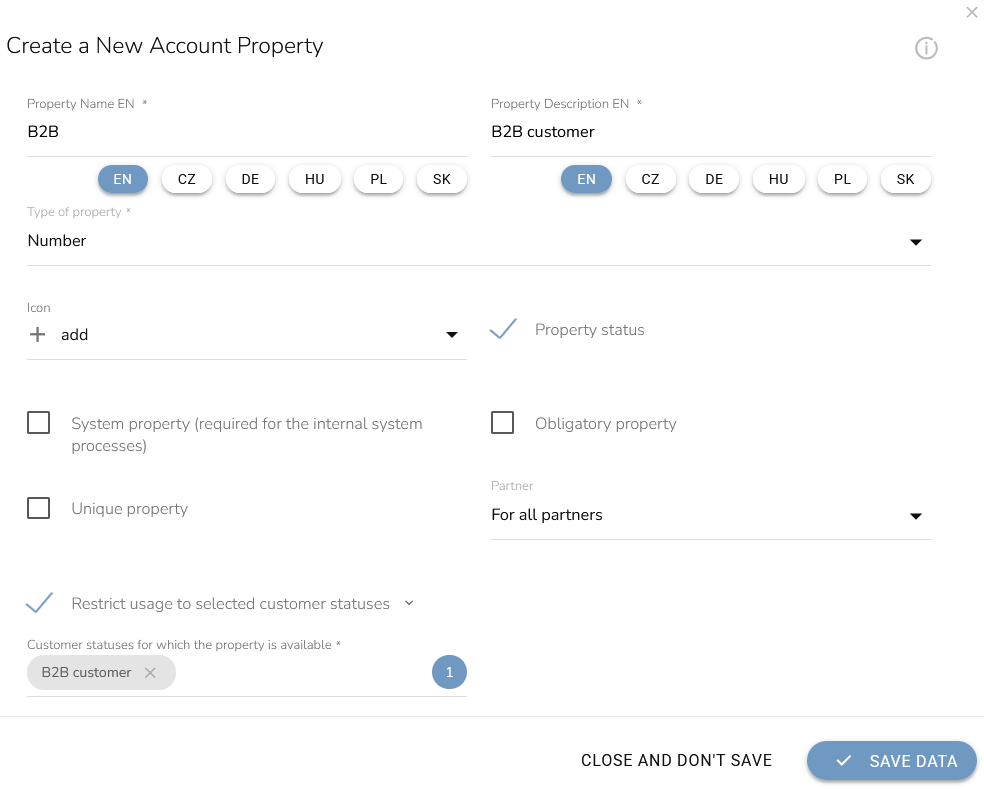
When everything is set, click on the "Save Data" button.