Create an Email Template
Click on the "Campaign & Audiences" app in the main menu.
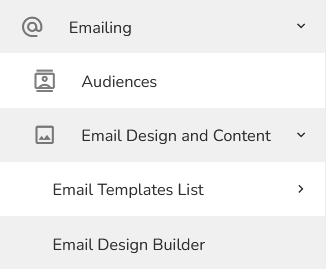
In the left menu, choose "Emailing – Email design and content – Email Design builder".
How to create a new template that you can use in a marketing campaign, find here.
For filling the voucher code in the customer’s message use a basic variable [LAST_GENERATED_VOUCHER_CODE], how to use it you can find here.
Once you have finished creating your email template, you can set up a workflow to send emails containing voucher codes to your customers.