Orchestration and Synchronization of Customer Data
With Marketing Automation, you can automatically synchronize customer data changes with external systems. Whenever a customer account is updated, the workflow triggers a webhook and sends the latest customer data to a predefined URL of an external application.
The transmitted information may include personal details, contact information, and other customer attributes. This ensures that the external system always receives up-to-date data without the need for manual exports or scheduled synchronization. If additional information is required, the external system can retrieve it immediately by calling other CareCloud API endpoints after receiving the webhook notification.
The same approach can be used for other events, such as Card Assignment, Voucher Assignment, or New Purchase. Webhooks provide a simple and efficient way to integrate CareCloud with CRM, ERP, e-commerce platforms, and other business systems without the need to develop complex integration mechanisms.
Open the "Marketing Automation" app.
To create a new workflow, click on the plus icon.

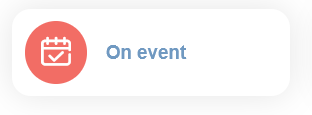
The first thing you need to set is the trigger. In this case, we choose "On event".
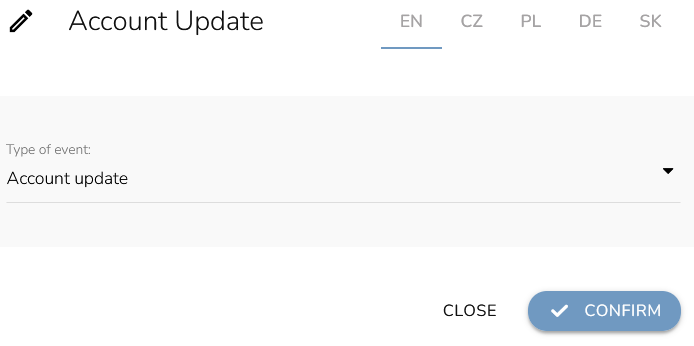
Select the type of event that will trigger the workflow. For example, to update a customer's personal information in an external system, select the event type “Account update”.
Now, we add the "Webhook" node to the workflow.
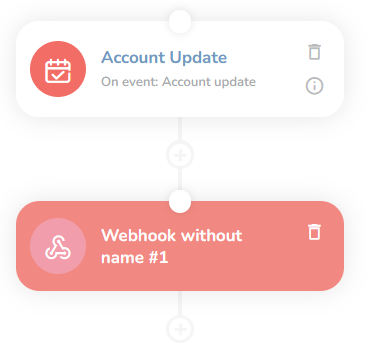
To set the parameters, click on the node. Set the target URL (URL of the external system’s server where you want to send customer data - the external system must generate it for you and must be able to process data in the structure specified by our API. Select data to send (in this case we use “Customer”).
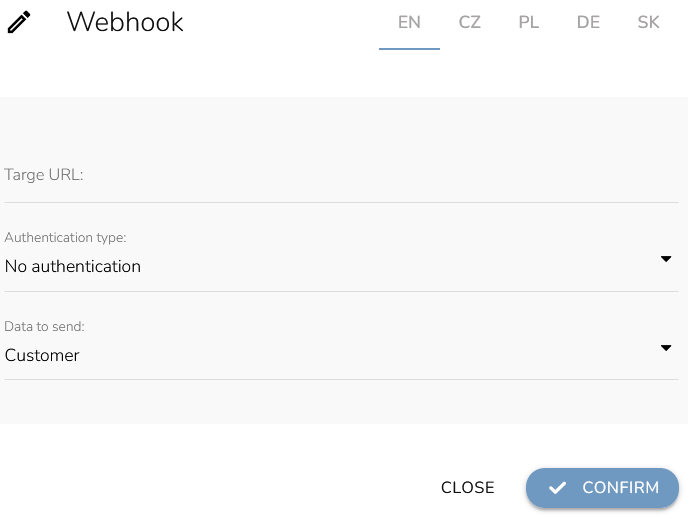
When everything is set, click on the "Confirm" button.
Similarly, you can set up notifications for a new card assignment (using the trigger “Card assignment” and “Card” choice in webhook configuration), for a new voucher assignment (using the trigger “Assigning voucher” and “Voucher” choice in webhook configuration), for a new purchase (using the trigger “New purchase” and “Purchase” choice in webhook configuration) and more.