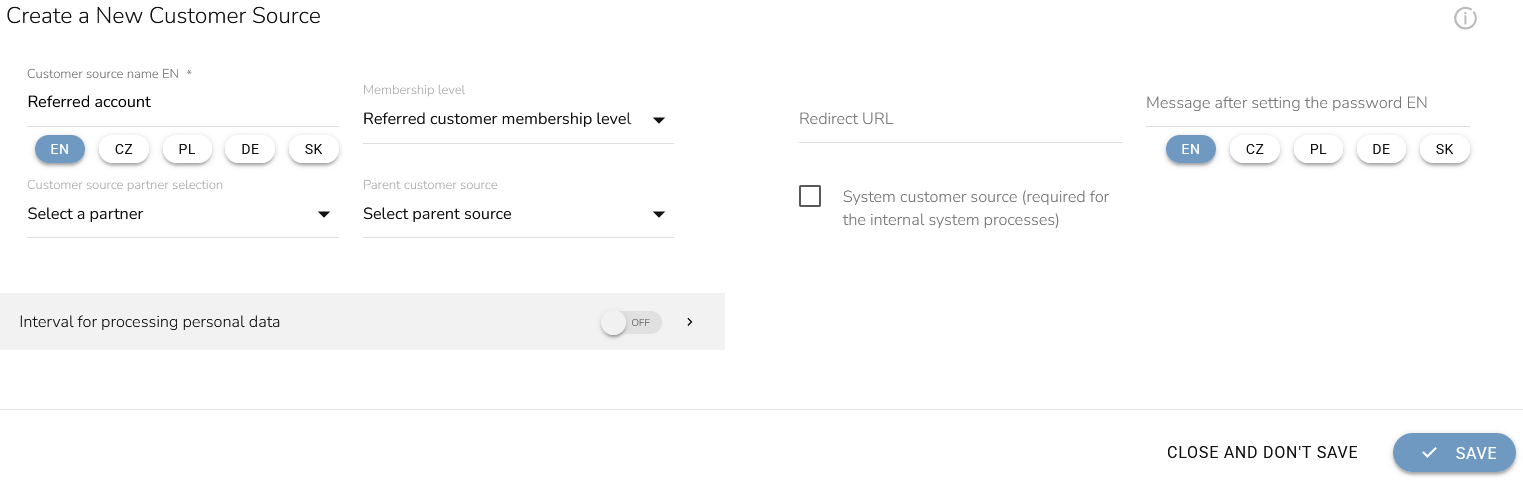
Set a Contact Source For a Referred Account
Open the “Loyalty and Administration” app.
Click on the "Customer account settings” in the left menu.

Choose "Customer sources".

Click on the "Add new" icon to add a new relation type.

A pop-up window shows up. Fill in the customer source name. Set membership level for referred customers. After verifying the settings, click the “Save” button.