Relation Between Company Account And Contact Person Account
Open the “Loyalty and Administration” application in the main menu.

In the left menu, find the "Customer account settings” and click on it.

Open the "Customer account relations".

To add a new relation type, click on the "Add new" icon (plus icon). A pop-up window shows up.
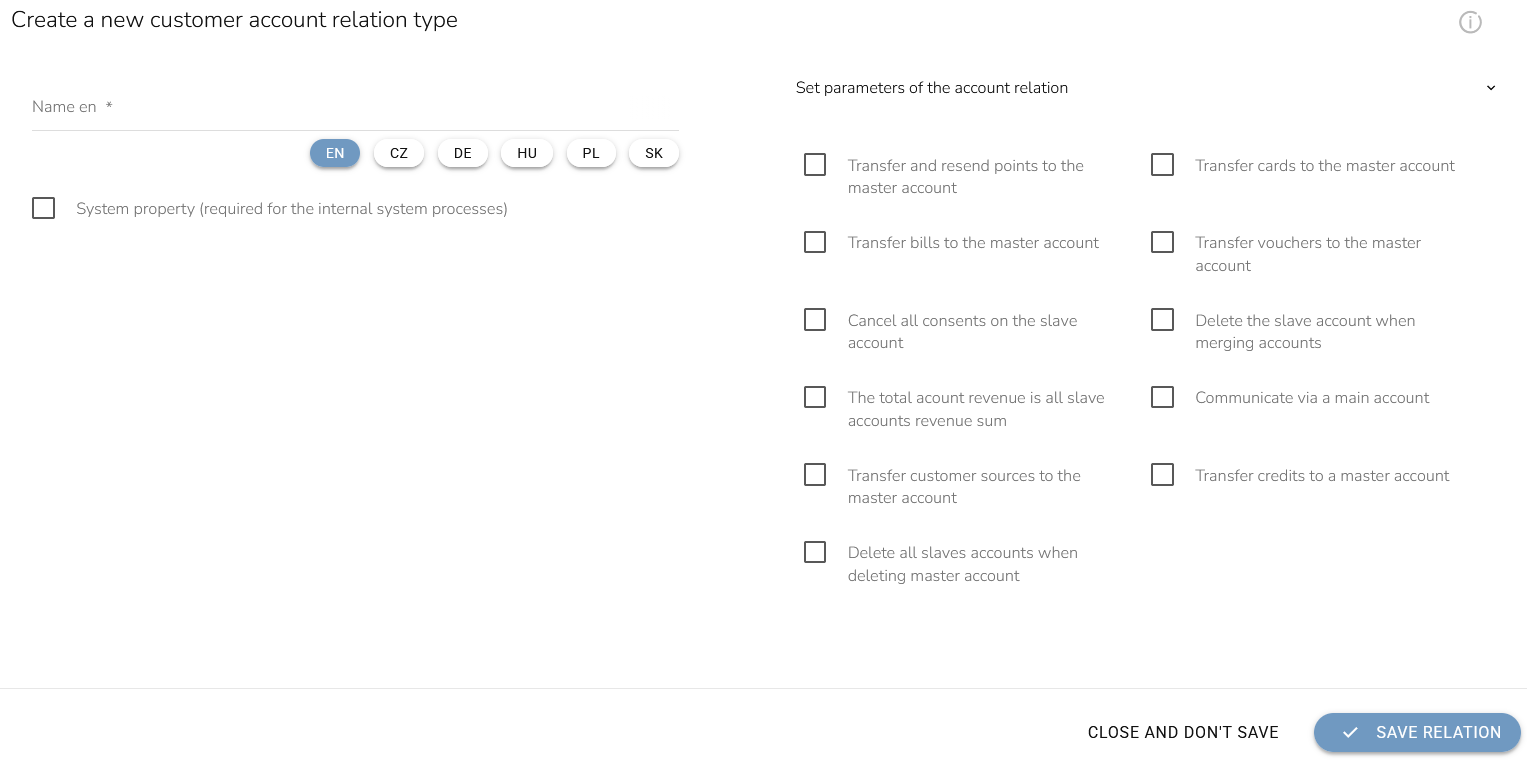
Fill in the relation type name. This type of relation does not need to be set as a system property. You can configure the relation parameters as needed, but none of them are required. After verifying the settings, click the “Save relation” button.

When creating a company account with contact persons, the company account always acts as the primary account.