Principy Zákaznických Benefitů. Jak Používat Odměny?
Mezi typické způsoby využití odměn patří kampaně s produktovými slevami, časově omezené bleskové akce, nabídky typu „nakupte více a ušetřete“, rozdávání produktů s logem značky a dárků, platby věrnostními body, sezónní akce a další. V rozhraní pro správu odměn vždy nastavujete povinný obsah nákupního košíku, parametry dodatečného benefitu a pokročilé vlastnosti odměny. Možnosti využití odměn jsou prakticky neomezené.
Klíčové pojmy: Segment (více o segmentech zde) — Kampaně (více o kampaních zde) — Produkty - Vouchery (více o voucherech zde)
Jak to funguje?
V sekci „Podmínky využití odměny“ (povinný obsah nákupního košíku) nastavujete povinný obsah košíku nutný pro získání odměny.
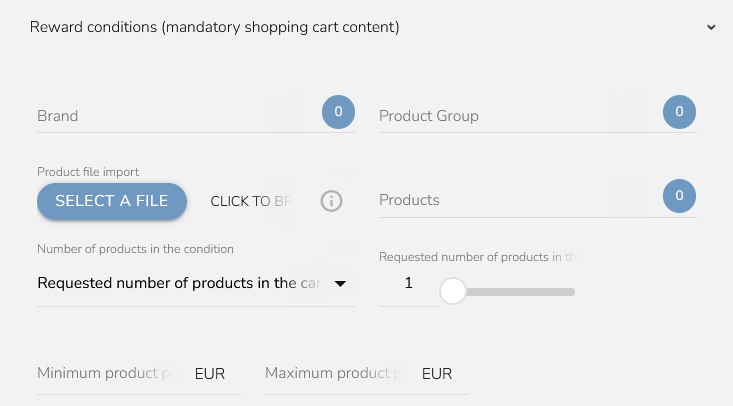
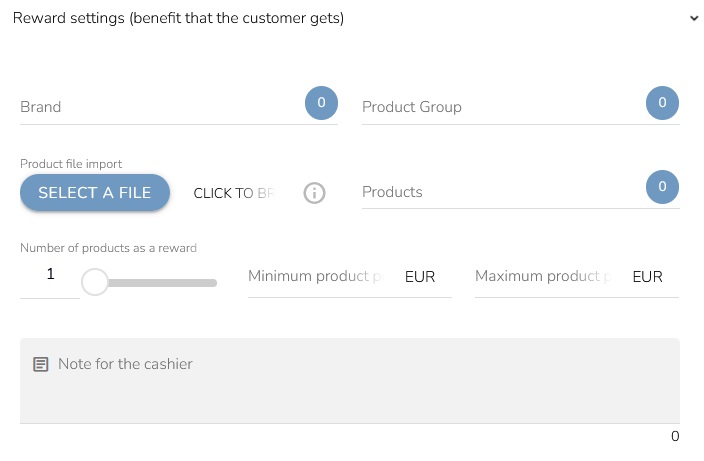
V „Nastavení odměny - benefit pro zákazníka“ vybíráte výhodu, kterou zákazník získá. Můžete nastavit počet produktů, které zákazník obdrží, a také jejich minimální či maximální cenu.
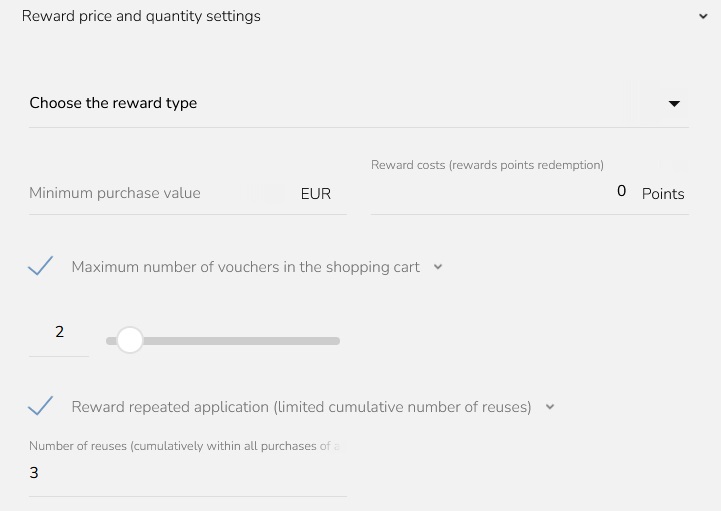
V sekci „Nastavení odměny - cena a počet“ vybíráte typ odměny (pevná sleva / sleva v procentech, nová cena atd.) a určujete, zda uplatnění odměny vyžaduje body. Můžete také omezit počet odměn na jeden nákup a stanovit minimální hodnotu nákupu.
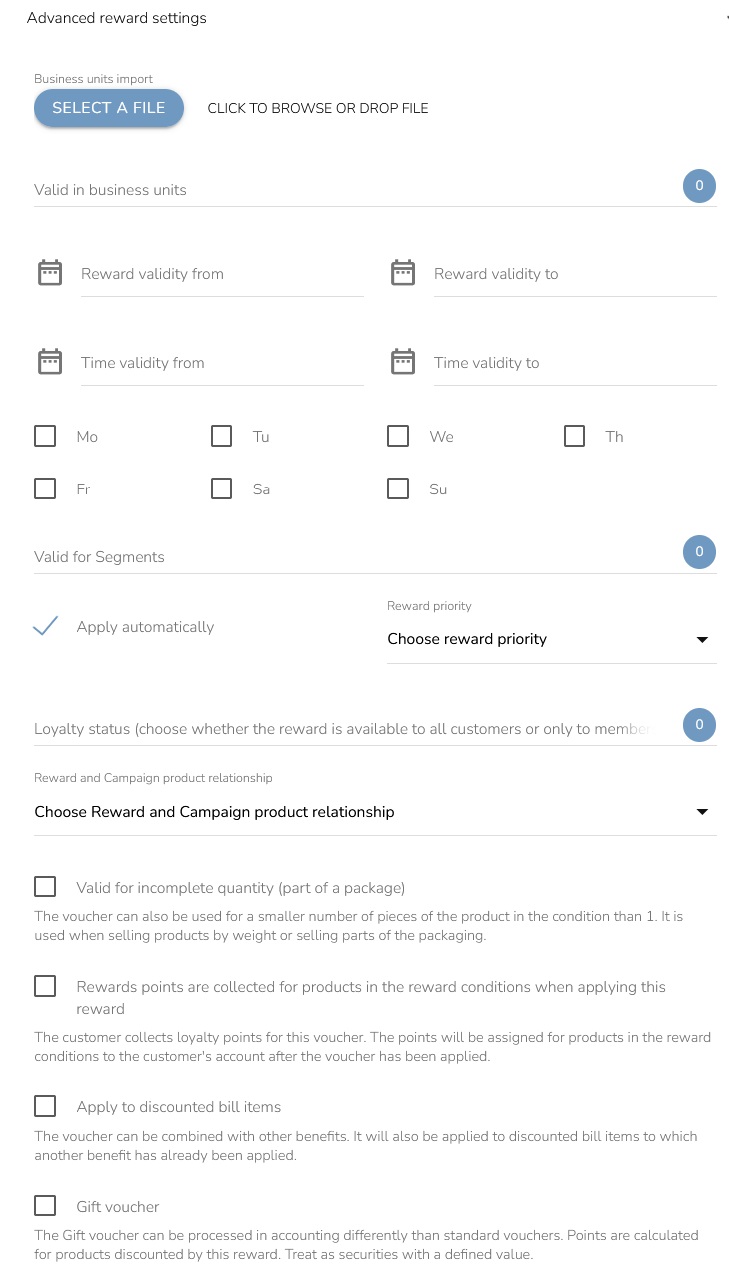
V sekci „Další nastavení odměny“ definujete načasování a případná omezení na konkrétní prodejny či zákaznické segmenty. Nastavujete zde způsob uplatnění odměny, její prioritu a vazbu na kampaně. Můžete určit, zda bude odměna platit i při nedosažení požadovaného množství (pokud se body sbírají za produkty uvedené v podmínkách odměny), zda se vztahuje na zlevněné položky účtenky a zda platí rovněž pro dárkové poukazy.
Principy Produktových Slevových Odměn
Níže najdete popis jednotlivých principů produktových slevových odměn. Vyberte ten, který nejlépe odpovídá vašim potřebám.
Zlevněný produkt
Nakupte produkt s konkrétním typem slevy. Klikněte na ikonu „plus“ a vyberte možnost „Produkt za zvýhodněnou cenu“.
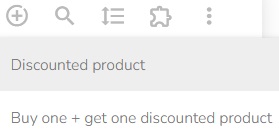
Můžete si vybrat jakýkoli typ slevy – viz níže:
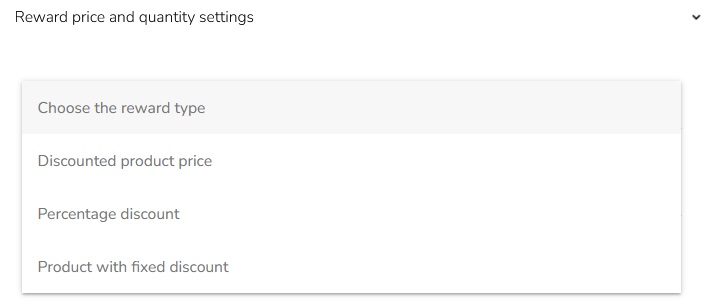
- Zlevněná cena produktu (např. 15 EUR místo původní ceny 20 EUR)
- Procentní sleva (např. sleva 20 %)
- Pevná sleva z ceny produktu (např. sleva 5 EUR z původní ceny)
Nakupte jeden nebo více konkrétních produktů a získejte další benefit
Tento princip zahrnuje nabídky typu 1+1, 2+1, čtvrtý produkt zdarma, dárek k nákupu a podobné akce. Klikněte na ikonu „plus“ a vyberte možnost „Produkt + další za zvýhodněnou cenu“.
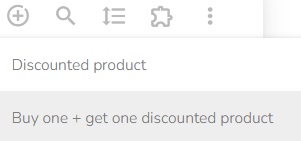
Další benefity můžete nastavit následujícími způsoby:
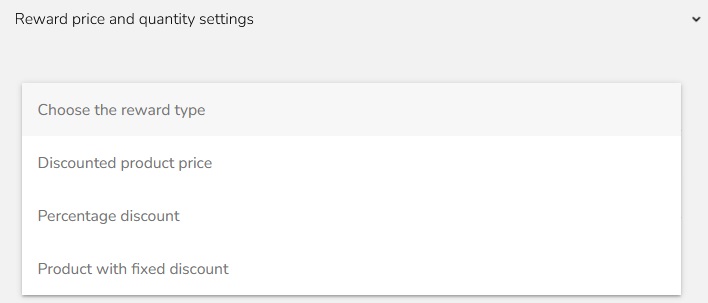
- Zlevněná cena produktu (např. 15 EUR místo původní ceny 20 EUR)
- Procentní sleva (např. sleva 20 %)
- Pevná sleva z ceny produktu (např. sleva 5 EUR z původní ceny)
- Produkt zdarma (nastavte hodnotu Zlevněná cena produktu na „0“)
Nakupte produkty z produktové skupiny nebo značky a získejte další benefit
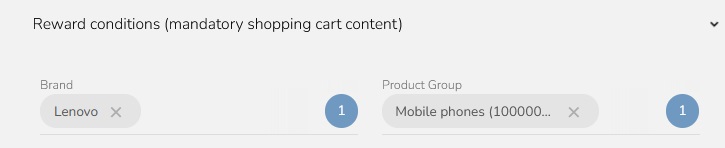
Můžete omezit produktové skupiny nebo značky a určit tak, co musí nákupní košík obsahovat, aby bylo možné odměnu uplatnit. Benefit lze aplikovat na produkty, které odpovídají kterékoli z vybraných produktových skupin nebo značek.
Nakupte produkt X nebo Y a získejte další benefit
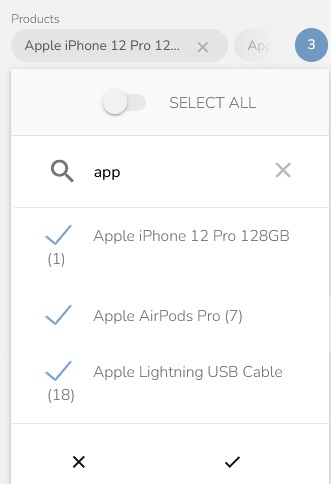
Můžete zvolit více produktů a určit tak, které produkty musí být součástí nákupního košíku, aby bylo možné odměnu uplatnit.
Seznam produktů můžete také importovat jako soubor ve formátu CSV obsahující externí ID produktů.
Můžete také určit požadovaný počet produktů, který je nutné zakoupit pro získání benefitu.

Nakupte za více než X EUR a získejte další benefit
Můžete nastavit celkovou hodnotu nákupu, která určuje hodnotu obsahu nákupního košíku potřebnou pro uplatnění odměny.
Nakupte vybrané produkty za více než X EUR a získejte další benefit
Můžete nastavit minimální celkovou hodnotu pouze vybraných produktů, produktových skupin nebo značek (v tomto případě se nepočítá celý nákup), která určuje hodnotu vybraných produktů v nákupním košíku potřebnou pro uplatnění odměny.

Nakupte určitý počet produktů konkrétní značky a získejte další benefit
Nárok na odměnu můžete podmínit nastavením minimálního počtu vybraných produktů.
Nakupte produkt konkrétní značky nebo produktové skupiny v ceně vyšší než X EUR a/nebo nižší než Y EUR a získejte další benefit
Uplatnění odměny můžete u vybraných produktových skupin nebo značek omezit pouze na produkty, jejichž cena se pohybuje v zadaném rozmezí.

Nastavení odměny (dalšího benefitu)
Nastavte produkt (případně více produktů), který zákazník získá jako odměnu. Produkt definovaný v odměně musí být součástí nákupního košíku (v případě volání API jej odešlete také s nákupní událostí).
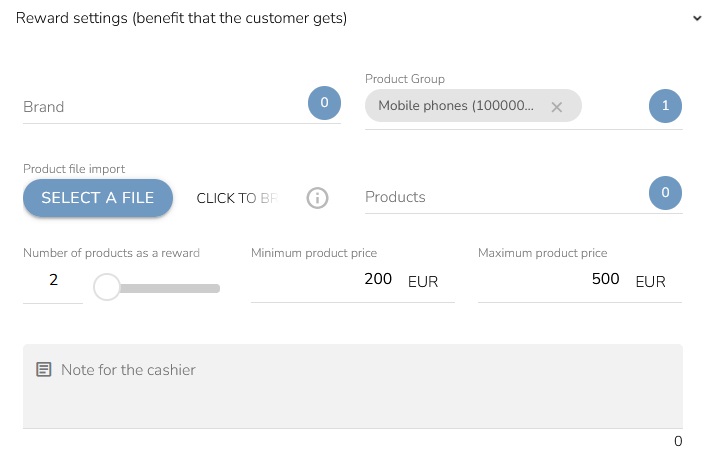
- Další benefit může zahrnovat stanovený počet produktů.
- Další benefit lze omezit zadanou minimální a/nebo maximální původní cenou benefitu.
Nastavení ceny a množství odměny (dalšího benefitu)
Můžete zvolit, zda bude jako další benefit uplatněna zlevněná cena produktu, procentní sleva nebo pevná sleva, a nastavit příslušné hodnoty.
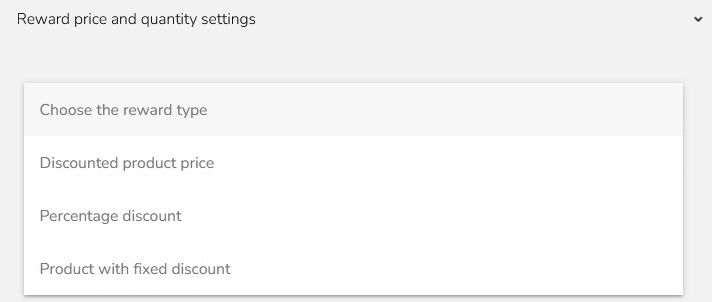
Cenu, množství a/nebo další omezení dalšího benefitu můžete nastavit následovně:
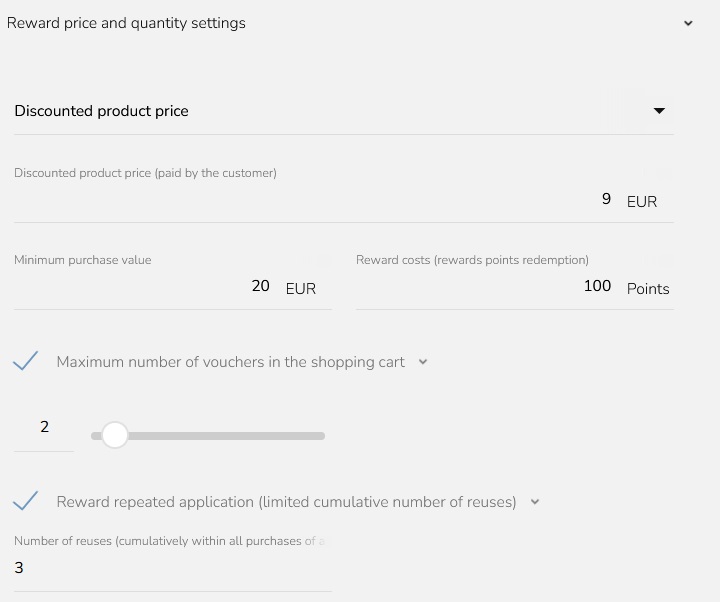
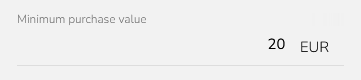
- Nastavit minimální hodnotu nákupu (EUR).
- Další benefit lze uhradit stanoveným počtem věrnostních bodů.
- Omezit maximální počet voucherů v jednom nákupním košíku.
- Omezit počet opakovaných použití odměny.
Další Vlastnosti Odměny
Můžete nastavit následující dodatečné vlastnosti odměny a omezení jejího použití:
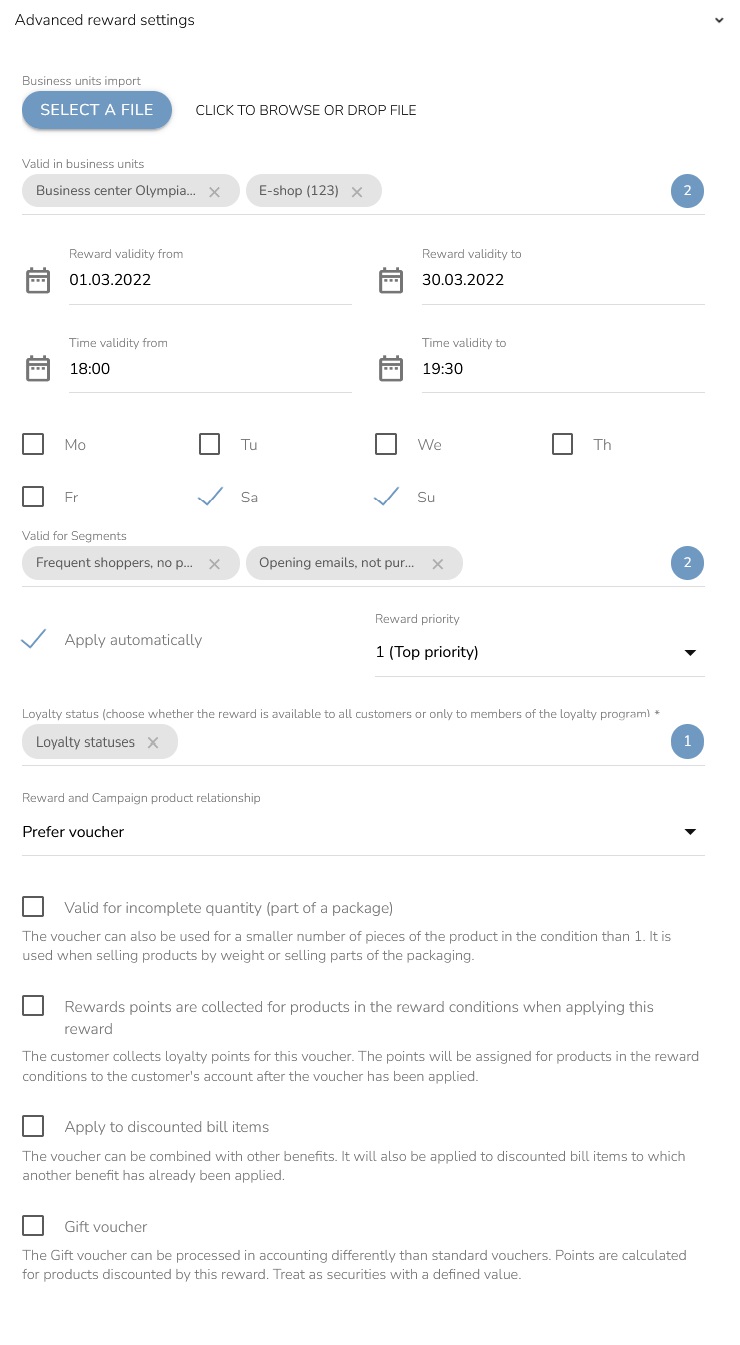
- Omezit odměnu na konkrétní provozovny a zákaznické segmenty.
- Omezit platnost odměny pomocí časového období, konkrétních hodin nebo dnů v týdnu.
- Nastavit, zda se odměna uplatní automaticky, nebo ji musí manuálně uplatnit obsluha pokladny.
- Nastavit prioritu odměny, která určuje pořadí jejich uplatnění v případě, že zákazník při jednom nákupu splní podmínky pro více odměn.
- Zvolit, zda je odměna dostupná všem zákazníkům, nebo pouze členům věrnostního programu.
- Nastavit způsob uplatnění slevy/odměny při nákupu, na který se vztahuje jak odměna, tak sleva z kampaně.
- Zvolit, zda se odměna uplatní i v případě, že zákazník zakoupí pouze část balení.
- Zvolit, zda je voucher přenositelný, tedy zda je jeho použití omezeno pouze na zákaznický účet, ke kterému je voucher přiřazen.
- Zvolit, zda lze voucher uplatnit na zlevněné položky nákupu a kombinovat jej s dalšími benefity.
- Zvolit, zda zákazník při uplatnění voucheru získá na svůj účet věrnostní body také za produkty uvedené v podmínkách odměny.
Další informace o zákaznických benefitech a jejich správném nastavení najdete přímo v platformě CareCloud. Příslušnou příručku otevřete kliknutím na odpovídající ikonu v okně pro vytvoření/úpravu.
